


Every month, a new AI design tool lands with the promise that it will change everything about how you work. Most of them won’t. Some are overhyped template generators dressed in marketing language. Others are genuinely powerful but built for social media managers, not professional creatives.
If you make visual work for a living, whether you’re a designer, photographer, illustrator, or art director, the question isn’t “should I use AI?” It’s: which tools actually earn a spot in my workflow?
We tested the most talked-about AI graphic design tools of 2026, evaluated them through the lens of professional creative work, and landed on six that are genuinely worth your attention. Not because they’re the flashiest, but because they solve real problems without undermining the quality of your practice.
Why AI Graphic Design Tools Matter for Creative Professionals
The conversation around AI in design has matured. According to a 2024 Adobe survey, 45% of creative professionals already use generative AI to produce higher-quality work, and 42% rely on it to bring ideas to life faster.
But for working creatives, the value of AI isn’t about replacing skill. It’s about reclaiming time.
The production side of creative work, resizing assets, generating background variations, building out mockups, exploring color palettes, has always eaten disproportionate hours. AI handles those tasks well. What it still can’t do is make the creative decisions that define your work: the editorial eye, the brand instinct, the ability to curate and refine.
The tools below are the ones that respect that boundary.
Build your graphic design portfolio on Format, free. No credit card, no rush.
How We Evaluated These Tools
Most “best AI design tools” lists are written for marketers. The criteria below are built for creative professionals who need tools that work within serious visual workflows.
- Output quality: Can the result be used or refined for professional work, or does it look generically “AI”?
- Creative control: Can you guide the output with precision, or are you stuck with whatever the tool gives you?
- Ethics and training data: Does the company disclose how its models are trained? Are creators compensated?
- Professional relevance: Is this actually useful for someone building a portfolio, delivering client work, or creating original visual content?
- Prezzi: What do you actually get on free and entry-level plans?

The Best AI Graphic Design Tools in 2026
Adobe Firefly: Best for Creatives Already in the Adobe Ecosystem
If you already live in Photoshop, Illustrator, or Lightroom, Firefly slots into your existing workflow without friction. It’s not a standalone app you need to learn from scratch. It’s a set of AI capabilities woven directly into tools you already use.
What it does well: Firefly’s Generative Fill and Generative Expand features are genuinely useful in daily design and photo editing. You can remove objects, extend compositions, or swap backgrounds without leaving Photoshop. The text-to-image generation produces clean, detailed results, and the ability to set style references, camera angles, and lighting conditions gives you far more creative control than most competitors.
Where it falls short: The free tier is tight: 10 generations per month. That’s not enough for real exploration. You’ll need a Creative Cloud subscription to use it meaningfully, and complex prompts can sometimes miss the mark when too many customization layers are stacked.
Why it matters for creatives: Adobe’s AI is trained on licensed Adobe Stock content and does not use customer files for training. For creatives concerned about using work built on scraped data, that’s a meaningful distinction. Firefly is also the only AI graphic design tool on this list that integrates directly into industry-standard production software.
Prezzi: Free (limited). Firefly Standard: $9.99/month. Creative Cloud Pro: $69.99/month.
Midjourney: Best for High-Quality Visual Exploration and Concepting
Midjourney remains the quality benchmark for AI-generated imagery in 2026. No other tool consistently matches its output for richness, detail, and aesthetic intelligence. If you need visual concepts that genuinely inspire rather than just fill a space, this is where you start.
What it does well: Midjourney’s V6+ models produce images that hold up in professional contexts, mood boards, pitch decks, concept art, editorial illustration. The control over style, composition, and atmosphere is more nuanced than almost any competitor. The community and prompt library also make it faster to learn what works.
Where it falls short: Midjourney still runs primarily through Discord, which adds friction. There’s no inline editing, no direct integration with design software, and no brand kit functionality. It’s also subscription-only with no free tier.
Why it matters for creatives: For photographers building out concept shoots, designers exploring visual directions, or illustrators looking for reference and inspiration, Midjourney is the closest AI tool to a creative collaborator rather than a production assistant. It’s best used early in the process, before the pixel-level work begins.
Prezzi: Basic: $10/month. Standard: $30/month. Pro: $60/month.
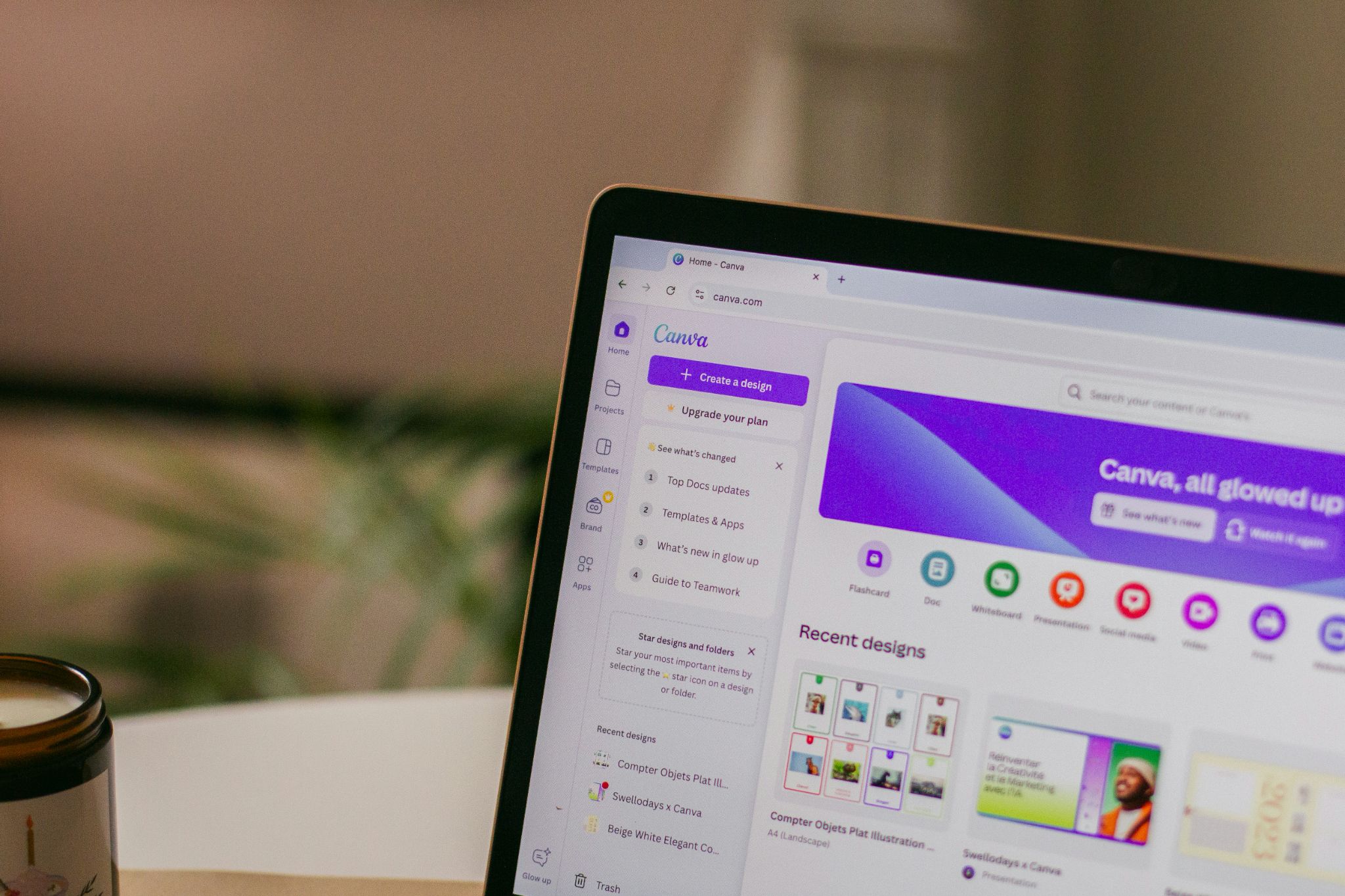
Canva AI (Magic Studio): Best for Fast, Templated Design Work
Canva isn’t new, but its AI capabilities in 2026 have expanded significantly. Magic Design generates complete layouts from prompts. Magic Edit lets you tweak individual elements. Magic Resize reformats designs for different platforms in a click. For anyone who needs to produce visual content quickly and consistently, it’s hard to beat.
What it does well: Speed and accessibility. You don’t need design training to get polished results. The template library is enormous, the AI prompt-to-design pipeline is fast, and the brand kit integration keeps everything on-brand across assets. Canva’s AI is powered by Anthropic’s Claude, which makes the conversational design interface feel responsive.
Where it falls short: The output quality ceiling is lower than dedicated creative tools. The designs look good, but they tend to look like Canva designs. For creatives building a distinctive visual identity, the results can feel generic. You also can’t drill into individual AI-generated elements to swap them out, which limits refinement.
Why it matters for creatives: Canva AI is ideal for the non-portfolio side of a creative practice: social media content, client presentations, marketing materials, event graphics. It’s not where you create your best work, but it handles the visual tasks that surround it. Canva also invests in creator compensation for AI training data through its Canva Shield program.
Prezzi: Free (limited). Pro: $120/year. Teams: $100/year per person.
ChatGPT Image Generation: Best for Ideation and Rough Concepts
ChatGPT’s built-in image generation (powered by DALL-E) is the most versatile entry point for AI-assisted design. It won’t replace a dedicated design tool, but its strength is in the early, messy stages of creative work: brainstorming directions, visualizing ideas before committing to production, and generating reference material for teams.
What it does well: Conversational iteration. You describe what you want, get a result, then refine through follow-up prompts. It’s remarkably useful for generating quick mockups, exploring color palettes, or producing concept art that you can hand off to a designer with specific direction. If you already use ChatGPT in your workflow, adding visual generation is seamless.
Where it falls short: The output quality is inconsistent, especially with text rendering, specific layouts, and brand-specific design. You can’t edit the image inline, and results often require significant refinement in another tool. It’s best as a starting point, not a finishing tool.
Why it matters for creatives: ChatGPT is most valuable as a creative thinking partner. Use it to generate five visual directions in under a minute, then bring your strongest concept into a professional tool for execution. It’s the fastest way to break through a creative block without committing hours to exploration.
Prezzi: Free (limited). Plus: $20/month. Pro: $200/month.
Kittl: Best for Branding, Typography, and Merchandise Design
Kittl sits in an interesting space between Canva and professional design tools. It’s built for brand-forward visual work: logos, merchandise, packaging mockups, and typographic layouts. If you’re designing for print, product, or brand identity, Kittl offers more creative depth than most AI-first platforms.
What it does well: Kittl’s multi-model AI engine lets you choose between image generation models, even on the free plan. Its vector editing, extensive font library, and mockup system are specifically designed for brand applications. The AI Copilot handles background removal and restyling well, and the Design Generator creates editable layouts rather than flat images.
Where it falls short: There’s a learning curve. If you’re not familiar with layer-based design tools, Kittl can feel overwhelming. The free tier also publishes AI-generated content publicly, which may not sit well with creatives protective of their process.
Why it matters for creatives: For designers building brand identities, or photographers and artists exploring merchandise and print-on-demand, Kittl bridges the gap between quick AI generation and production-ready output. The brand kit is available on the free plan, which is rare.
Prezzi: Free (limited). Pro: $15/month ($10/month annually). Expert: $30/month ($24/month annually).
Ideogram: Best for Text-Heavy Graphic Design
If your design work regularly involves headlines, taglines, or typographic layouts, Ideogram solves a problem that most AI graphic design tools still struggle with: rendering legible, well-composed text. Blog banners, social graphics with quotes, call-to-action buttons, poster designs, all of these are areas where Ideogram outperforms.
What it does well: Text rendering accuracy that’s meaningfully better than competitors. The output style is clean, vibrant, and more publication-ready than what you’ll get from ChatGPT or most general-purpose AI generators. It also generates original contextual elements like brand name suggestions without being prompted, which can be a useful creative starting point.
Where it falls short: No inline editing. You can’t adjust individual layers, swap elements, or refine the layout after generation. It’s a generate-and-go tool, which limits how much you can customize the final output without moving to another application.
Why it matters for creatives: For content-forward designers and photographers who regularly produce branded graphics, social assets, or editorial visuals that require clear, accurate typography, Ideogram fills a gap that bigger platforms don’t address well.
Prezzi: Free (limited, slow credits). Paid plans: $7 to $42/month.
Quick Comparison
| Tool | Best For | Creative Control | AI Ethics Stance | Free Tier | Starting Price |
|---|---|---|---|---|---|
| Adobe Firefly | Professional creative workflows | High (Photoshop integration) | Strong (licensed training data, creator compensation) | Yes (10 gen/month) | $9.99/month |
| Midjourney | Visual concepting and mood boards | High (style/composition control) | Moderate (proprietary training) | No | $10/month |
| Canva AI | Fast social and marketing assets | Moderate (template-based) | Strong (Canva Shield, creator fund) | Sì | $120/anno |
| ChatGPT | Early ideation and brainstorming | Low (conversational only) | Moderate | Yes (limited) | $20/month |
| Kittl | Branding, merch, typography | High (vector editing, layers) | Standard (user owns Pro/Expert output) | Yes (20 credits) | $10/month |
| Ideogram | Text-heavy graphics and banners | Low (no inline editing) | Standard | Yes (slow credits) | $7/month |
How to Actually Use These Tools in Your Creative Workflow
The creatives getting the most out of AI aren’t the ones using every tool. They’re the ones who’ve figured out which tool to use at which stage.
Ideation: Start with ChatGPT or Midjourney. Generate 5 to 10 visual concepts in minutes. Use them to test directions, build mood boards, or align with clients before any production work begins.
Production: Move to Adobe Firefly for photo editing and compositing, Canva for templated social assets, or Kittl for brand and merch design. These tools let you refine and customize AI output within a real design environment.
Presentazione: Once your work is done, your portfolio di grafica is where it lives and earns its keep. Whether you’re showcasing brand identities, editorial layouts, or campaign work, the quality of your presentation matters as much as the work itself.
A practical rule: If an AI-generated asset goes into your portfolio, a human hand should have shaped it. AI accelerates the journey, but the final destination should reflect your creative judgment.
Give your best work a home. Build a graphic design portfolio that does it justice with a Prova gratuita di Format.

A Note on AI Ethics and Copyright for Creatives
For professional creatives, the ethics of AI tools aren’t theoretical. They’re practical.
If you use AI-generated imagery in client work, you need to know whether you have commercial rights. If you publish AI-assisted designs under your name, you should understand the copyright landscape. And if you care about how the creative industry evolves, the training data behind these models matters.
Here’s where the tools in this list stand:
- Adobe Firefly is trained exclusively on licensed Adobe Stock content and public domain material. Contributors are compensated.
- Canva has committed $200 million to creator compensation and gives users control over whether their content is used for training.
- Kittl grants full ownership of AI-generated images on Pro and Expert plans, but users are responsible for ensuring originality.
- Midjourney, ChatGPT, and Ideogram use proprietary or undisclosed training datasets. Commercial use is generally permitted on paid plans, but the copyright status of AI-generated output remains legally unsettled.
If you’re navigating these questions, Format’s guide to AI art and copyright breaks down the current legal landscape for creative professionals.
FAQ
Which AI graphic design tool is best for professional creatives?
It depends on your workflow. Adobe Firefly is the strongest choice for creatives already using Photoshop or Illustrator. Midjourney leads for visual concepting and creative exploration. Canva AI is best for fast, templated assets. Most professionals will benefit from using two or three tools at different stages rather than relying on one.
Can I use AI-generated designs in my portfolio?
You can, but with intention. AI-generated mockups and concepts are common in mood boards and pitch decks. For portfolio pieces that represent your professional skill, the expectation is that AI was a tool in the process, not the entire process. Disclose where appropriate, and refine AI output with your own creative direction.
Will AI replace graphic designers?
No. According to McKinsey Digital, generative AI can automate up to 70% of repetitive production tasks, but the strategic and creative decisions that define great design remain firmly human. AI changes cosa designers spend their time on, not whether designers are needed.
Ready to present your work your way? Start a free trial and see why creative professionals choose Format.