


Most portfolio advice starts with the same question: what should I include? It leads to the same answers, too. An About page. Some project images. A contact form. Check, check, check.
But that framing misses the point. A portfolio is not a filing cabinet for your work. It is a persuasion tool. And the person you are persuading is not you. It is the client, art director, or creative lead sitting across the screen, deciding whether to reach out or move on.
Research from the Nielsen Norman Group suggests that users form judgments about a website’s credibility in as little as 50 milliseconds. For creative portfolios, the stakes are even higher. The people reviewing your work are visually literate professionals who evaluate dozens of portfolios before choosing one person to contact.
So instead of asking “what should my portfolio include,” this checklist asks a better question: what do clients actually look for when they decide to hire you?
How Clients Actually Review Portfolios
Before you obsess over fonts and layout, it helps to understand how the other side of the table operates.
Art directors, creative leads, and potential clients rarely browse a portfolio the way you do. They are not absorbing every detail. They are scanning. Their mental process works roughly like this:
- First three seconds: Does this look professional? Does it load quickly? Can I immediately tell what this person does?
- Next ten seconds: Is the work relevant to my project? Is it good enough?
- Next thirty seconds: Does this person think clearly? Is there evidence of process, not just polish?
- Final stage: Can I contact them easily? Is there any proof that others trust them?
If your portfolio fails at any of these stages, it does not matter how beautiful the work is further down the page. The visitor has already left.
This is not a criticism. It is a reality of how busy professionals make decisions. Your portfolio’s job is to survive each stage and move the visitor toward one action: reaching out.
The Essential Portfolio Checklist
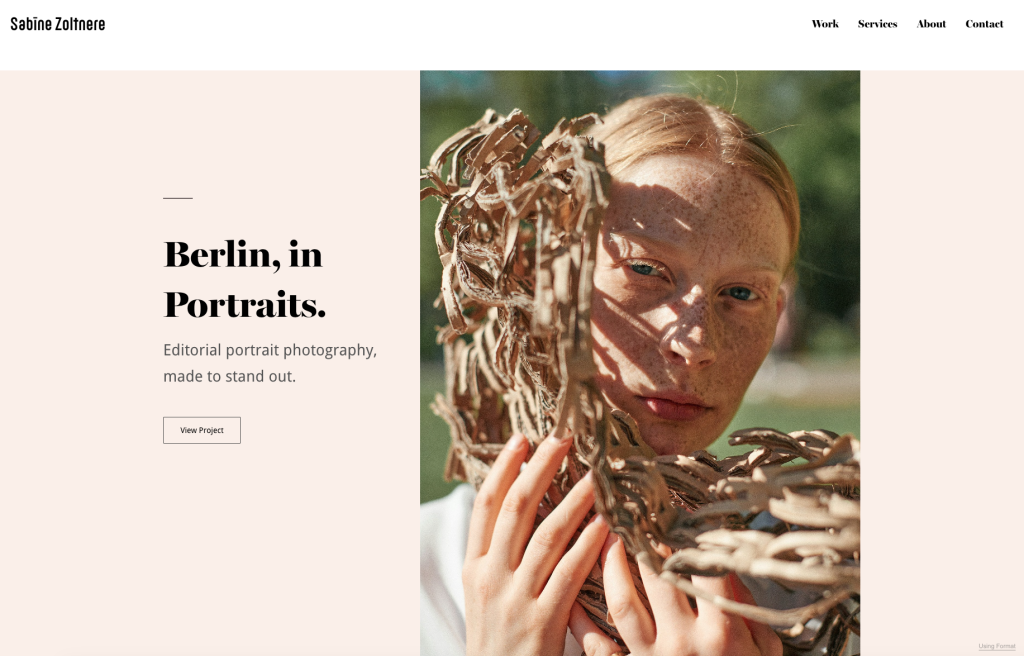
A Focused Introduction That Positions Your Practice
Clients want to know two things fast: what do you do et is it relevant to me?
A vague headline like “I create beautiful experiences” tells them nothing. A focused one like “Brand identity designer for food and hospitality companies” tells them everything they need in a single line.
Your introduction does not need to be long. Two to three sentences that state your discipline, your focus area, and the type of clients or projects you take on. If you work across photography, design, or illustration, be specific about which type of work you want this portfolio to attract.
Add a professional photo that feels authentic, not staged. And end with a clear prompt that moves people forward, something like “Let’s talk about your project.”
For a detailed walkthrough of writing an effective portfolio introduction, Format’s step-by-step guide to your About page breaks down the process section by section.
What clients look for: Can I immediately tell what this person does and whether they are right for my project?
Your Strongest Work, Curated With Intention
This is where most portfolios go wrong. The instinct is to show everything. Every project, every variation, every side experiment. But volume is not a strategy. Curation is.
Select 8 to 12 projects that represent the work you want to be hired for. Not the work you had to do, or the project you completed two years ago that no longer reflects your current level. Each piece should reinforce a consistent story about what you do and why you are good at it.
If you are a photographer who wants to shoot editorial work, lead with editorial projects. If you are a designer focused on brand identity, your portfolio should not open with a UI redesign you did as a favor.
For newer creatives who do not yet have a deep body of client work: personal projects, self-directed briefs, and speculative work are all legitimate. What matters is that each piece shows intentional decision-making.
What clients look for: Is this person’s best work relevant to what I need? Do they have a clear point of view?
Project Context That Shows How You Think
Beautiful images get attention. Context gets the job.
For your featured projects, include a short description that answers three questions:
- What was the brief or challenge? One sentence.
- What was your approach? One to two sentences.
- What was the outcome? One sentence, with measurable results if possible.
This is not about writing essays. It is about demonstrating that you think strategically, not just aesthetically. A client looking at a branding project wants to see that you understood the business problem, not just that you picked a nice typeface.
Process shots, sketches, wireframes, or before-and-after comparisons add depth when they serve the story. Use them selectively. If a project speaks for itself visually, a brief caption may be enough.
What clients look for: Can this person solve problems, or do they just make things look good?
Visuals That Meet Professional Standards
This sounds obvious, but it trips up more portfolios than you might expect. Blurry images, inconsistent crops, slow-loading galleries, and layouts that break on mobile all communicate one thing to a client: this person does not care about presentation.
Every image in your portfolio should be:
- High resolution but optimized for web (fast loading matters)
- Consistently cropped and presented
- Organized logically, whether by project, medium, or theme
- Fully responsive on mobile devices
A 2024 study from Portent found that pages loading in one second convert at three times the rate of pages loading in five seconds. For portfolios, speed is not just a technical detail. It is part of the client’s experience of your professionalism.
What clients look for: Does this person care about quality in the details, not just the big picture?
Contact Information That Is Impossible to Miss
You could have the strongest portfolio in your field, and it would not matter if the client cannot figure out how to reach you.
Your contact information should be:
- Visible from every page, not buried in a footer
- Accessible within one or two clicks from anywhere on the site
- Specific: instead of “Get in touch,” try “Start a project” or “Book a consultation”
Include your email, and consider adding a scheduling link or simple contact form. Offering multiple ways to connect gives people the flexibility to reach out however they are most comfortable.
What clients look for: Can I contact this person quickly and easily?
Social Proof That Builds Confidence
Clients are risk-averse. Before committing to a new creative partner, they want evidence that others have had a good experience working with you.
The most effective forms of social proof for creative portfolios:
- Client testimonials: Short, specific quotes. “Alex delivered the rebrand ahead of schedule and it increased our engagement by 30%” is far more convincing than “Great to work with.”
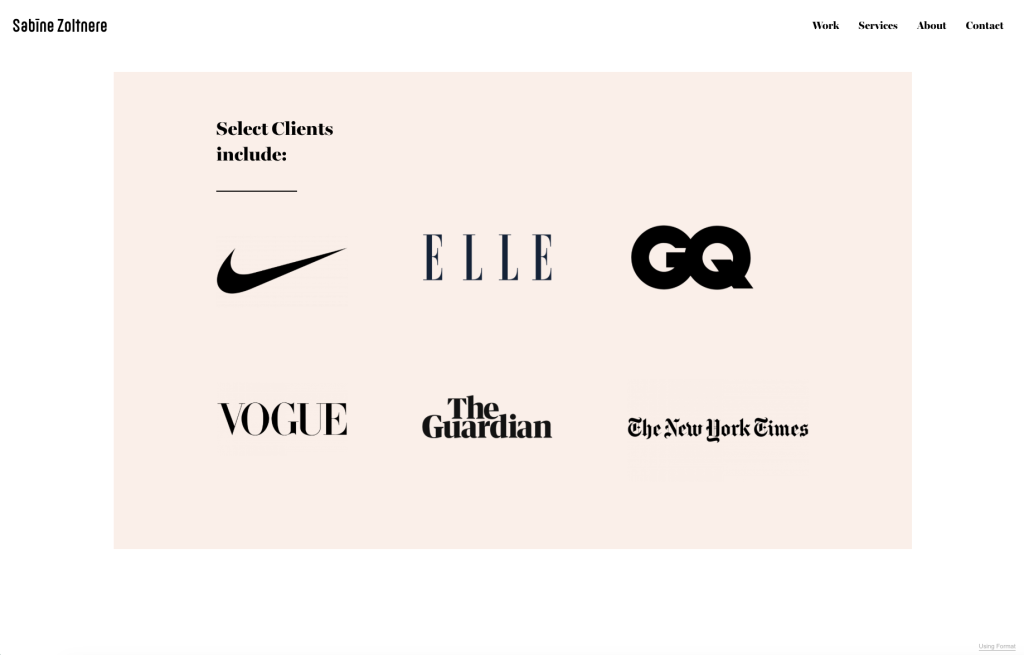
- Client logos: If you have worked with recognizable brands, show their logos in a clean “Selected Clients” or “Trusted By” section.
- Press mentions: Links or logos from publications, podcasts, or industry features that have covered your work.
- Awards or recognition: Listed briefly, with dates.
If you are early in your career and do not have formal testimonials yet, a LinkedIn recommendation or a sentence of feedback from a collaborator still counts. The goal is not to fill a page. It is to show that real people have trusted you with real work.
What clients look for: Have other people hired this person and been happy with the results?
A Design That Supports Your Work
Your portfolio’s design should be invisible. Not invisible in a bad way. Invisible in the way that a well-designed gallery frame does not compete with the painting inside it.
Clean layouts, consistent typography, generous white space, and a color palette that does not fight your projects for attention. That is the goal. When in doubt, simplify.
A few non-negotiable design considerations:
- Mobile-first: More than half of web traffic is mobile. If your portfolio does not work on a phone, you are losing clients.
- Navigation clarity: Can someone get from your homepage to your contact page in two clicks?
- Loading speed: Compress images. Avoid heavy animations that add nothing to the experience.
- Consistent presentation: Each project should feel like it belongs in the same portfolio.
Format portfolio design tips guide covers layout principles and design decisions in more detail, including spacing, typography, and visual hierarchy.
If you prefer to start with a proven structure rather than designing from scratch, Format’s designer templates are built specifically for creative professionals, with layouts that center your work without requiring you to make a hundred design decisions first.
What clients look for: Is this site easy to use, fast, and does it let the work speak for itself?
Start with a proven structure, not a blank canvas. Explore Format’s designer themes free for 14 days.
What to Leave Out of Your Portfolio
Knowing what to include is only half of the equation. Knowing what to cut is equally important.
Old work that no longer represents your level. If a project from four years ago makes you cringe, remove it. Clients judge you by the weakest piece in your portfolio, not the strongest.
Every project you have ever completed. A portfolio is not an archive. It is a highlight reel. If you have 40 projects listed, you are asking the client to do the editing work for you.
Long written descriptions. Most project descriptions should be three to five sentences. If you are writing paragraphs, you are probably overexplaining.
Unrelated side projects. Personal work is valuable when it supports your positioning. If it pulls in a completely different direction, save it for your Instagram or a separate section clearly labeled as personal exploration.
Stock photos or placeholder content. If a section is not ready, leave it out entirely rather than filling it with filler. Clients notice.
The Quick-Reference Checklist
| Checklist item | What clients are really asking |
|---|---|
| Focused introduction / About section | What does this person do? Are they right for my project? |
| 8-12 curated projects | Is their best work relevant and consistent? |
| Project context (brief, approach, outcome) | Can they think, not just execute? |
| High-quality, optimized visuals | Do they care about presentation and detail? |
| Visible, easy contact information | Can I reach them quickly? |
| Client testimonials or social proof | Have others trusted them and been satisfied? |
| Clean, mobile-responsive design | Is this a professional I can take seriously? |
| Fast page loading speed | Do they respect my time? |
| Clear navigation (2 clicks to any section) | Can I find what I need without friction? |
| No outdated or irrelevant work | Is this portfolio current and intentional? |
You have the checklist. Now build the portfolio. Try Format free and put every point into practice today.
Mistakes That Cost You Clients
Even portfolios with strong work can fail for reasons that have nothing to do with talent. These are the most common ones:
Slow loading times. A beautiful gallery means nothing if it takes eight seconds to appear. Compress your images, minimize animations, and test your site speed regularly. Clients will not wait.
No mobile optimization. If an art director pulls up your site on their phone during a commute and the layout breaks, you have lost them. Test your portfolio on multiple devices.
Confusing navigation. If someone cannot figure out how to get from your work to your contact page in two clicks, your site is working against you. Keep the structure simple: Work, About, Contact.
No clear call to action. Every page on your portfolio should make it obvious what the visitor should do next. View more projects. Read about your process. Get in touch. Do not leave people at a dead end.
An outdated portfolio. If your most recent project is from 2023, clients may wonder whether you are still active. Update your portfolio at least every quarter with your latest and strongest work.
Questions fréquemment posées
How many projects should I include in my portfolio?
Eight to twelve is the sweet spot for most creative professionals. Enough to demonstrate range and depth, not so many that the visitor loses focus. If you have more work worth showing, consider organizing it into categories or creating a secondary “archive” section that does not compete with your featured projects.
Should I include personal projects?
Yes, if they support the type of work you want to attract. A photographer who shoots personal editorial projects signals a strong creative vision. A designer who builds experimental typefaces shows initiative. Personal work is most valuable when it fills a gap in your client portfolio or demonstrates skills you have not yet had the chance to use commercially.
How often should I update my portfolio?
At minimum, every three to six months. Ideally, add new work within a few weeks of completing a project while it is still fresh. Regular updates signal to both clients and search engines that you are active and engaged. Remove older work that no longer reflects your current standard.
Do I need a portfolio website if I already have social media?
Yes. Social media is a discovery tool, not a portfolio. Platforms like Instagram and Behance can drive awareness, but they do not give you the structured, distraction-free environment that a dedicated portfolio provides. A portfolio website is where the serious evaluation happens, and it is what clients remember when they are ready to hire.
Ready to show up as the professional you are? Start your free Format trial and turn browsers into booked clients.