

An art director opens your portfolio. Their thumb hovers. Their eyes sweep the page. Before they consciously register a single project title, they have already decided whether your work deserves a closer look.
That first glance takes roughly three seconds. Sometimes less. And whether you’re a photographer vying for an editorial commission, a designer pitching a brand identity gig, or a filmmaker chasing your first festival feature, those seconds are the difference between a “let’s talk” and a closed tab.
This is not about tricks. It is about understanding how creative professionals on the other side of the screen actually evaluate a portfolio, and then designing yours to meet that reality. What follows is a practical, section-by-section guide to making those opening seconds work in your favor.
Why the First 3 Seconds Matter More Than You Think
The people who hire creatives review a lot of portfolios. A design lead screening candidates may open 40 or 50 in a single session. A photo editor scouting for a campaign might scan even more. They are not being careless; they are being efficient. And their pattern is remarkably consistent:
- The page loads. They absorb the overall visual impression, including layout, color, whitespace, and the quality of whatever image appears first.
- They scan. Their eye jumps to the strongest focal point on the screen, almost always a hero image or the first project thumbnail.
- They decide. Within seconds, they are either scrolling deeper or clicking back.
This is not speculation. Research on web-browsing behavior consistently shows that users form aesthetic judgments about a website within 50 milliseconds, and those snap judgments heavily influence whether they stay. For a creative portfolio, the stakes are even higher. Your site is not just a website; it is a record of your creative practice. If the first impression doesn’t signal quality, intentionality, and professionalism, the work inside may never get seen.
The good news? You can control almost every element of that first impression. Here’s how.
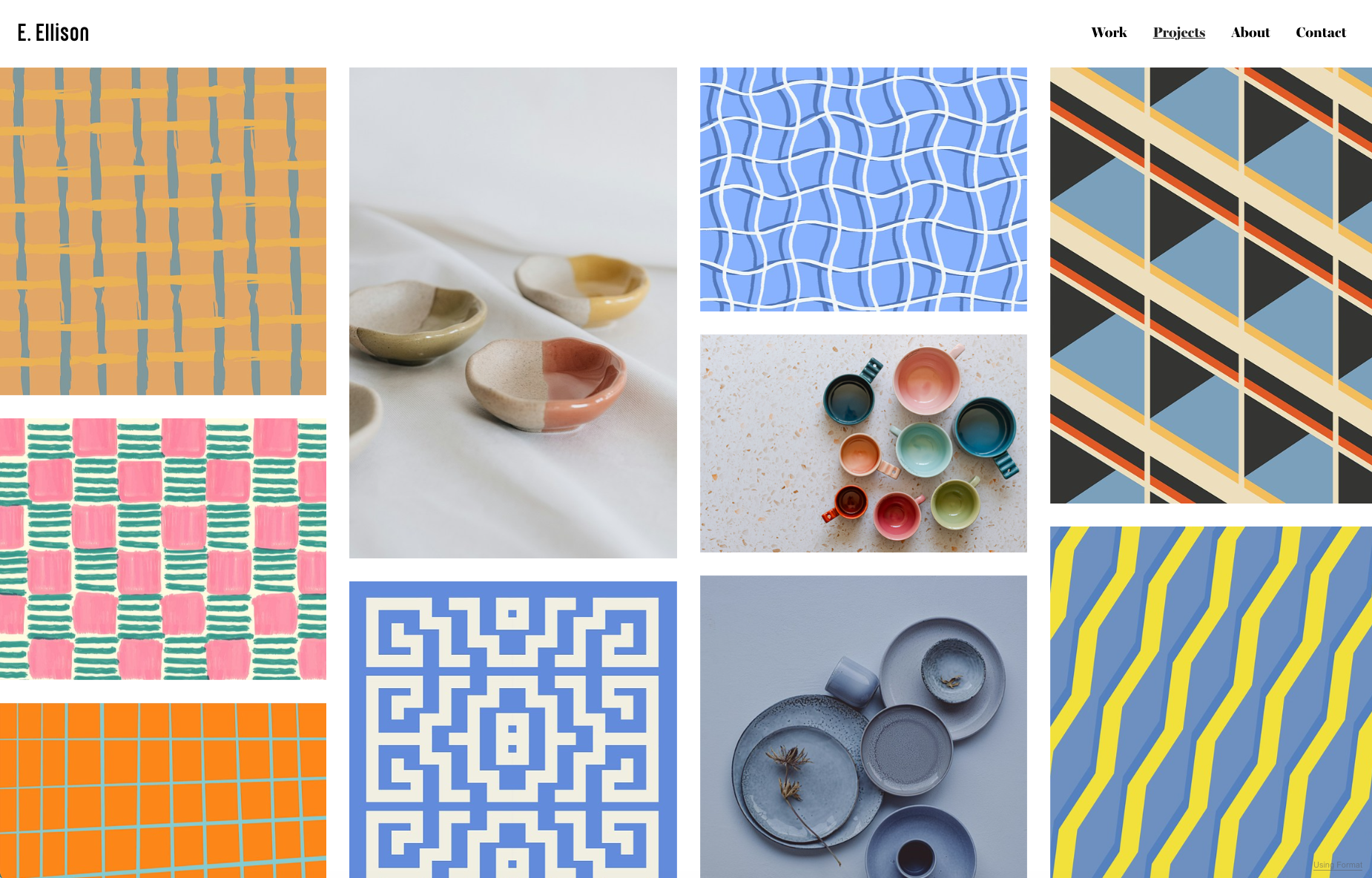
Lead with Your Strongest Work (Not All Your Work)
The most common portfolio mistake is not bad work. It is poor sequencing. Too many creatives organize their portfolios chronologically, alphabetically, or by client, which means the first thing a viewer sees is whatever happens to come first, not what deserves to be first.
Your opening project is your visual calling card. It should be the single piece that best represents who you are as a creative right now, the work that makes people lean in.
How to Choose Your Opening Project
Ask yourself three questions:
- Does this project represent the kind of work I want more of? If you are a photographer trying to land editorial fashion work, your hero project should be editorial fashion, not the corporate headshots you shot last month.
- Is the quality undeniable? The opening image should be technically excellent and visually arresting. If you have to explain why it is good, it does not belong at the top.
- Does it photograph well at screen scale? Some work is magnificent in person but loses its impact as a thumbnail or full-width image. Test how your work reads on a laptop and on a phone before giving it the top spot.
Beyond the hero, apply the same logic to the rest of your gallery order. Curate ruthlessly. Most strong portfolios show between 8 and 20 projects. If a project does not represent your best current abilities, it weakens everything around it, including the pieces that do.
Insider tip: Think of your portfolio like an exhibition, not an archive. You would not hang every canvas you have ever stretched on a gallery wall. You would choose the strongest pieces and give them room to breathe.
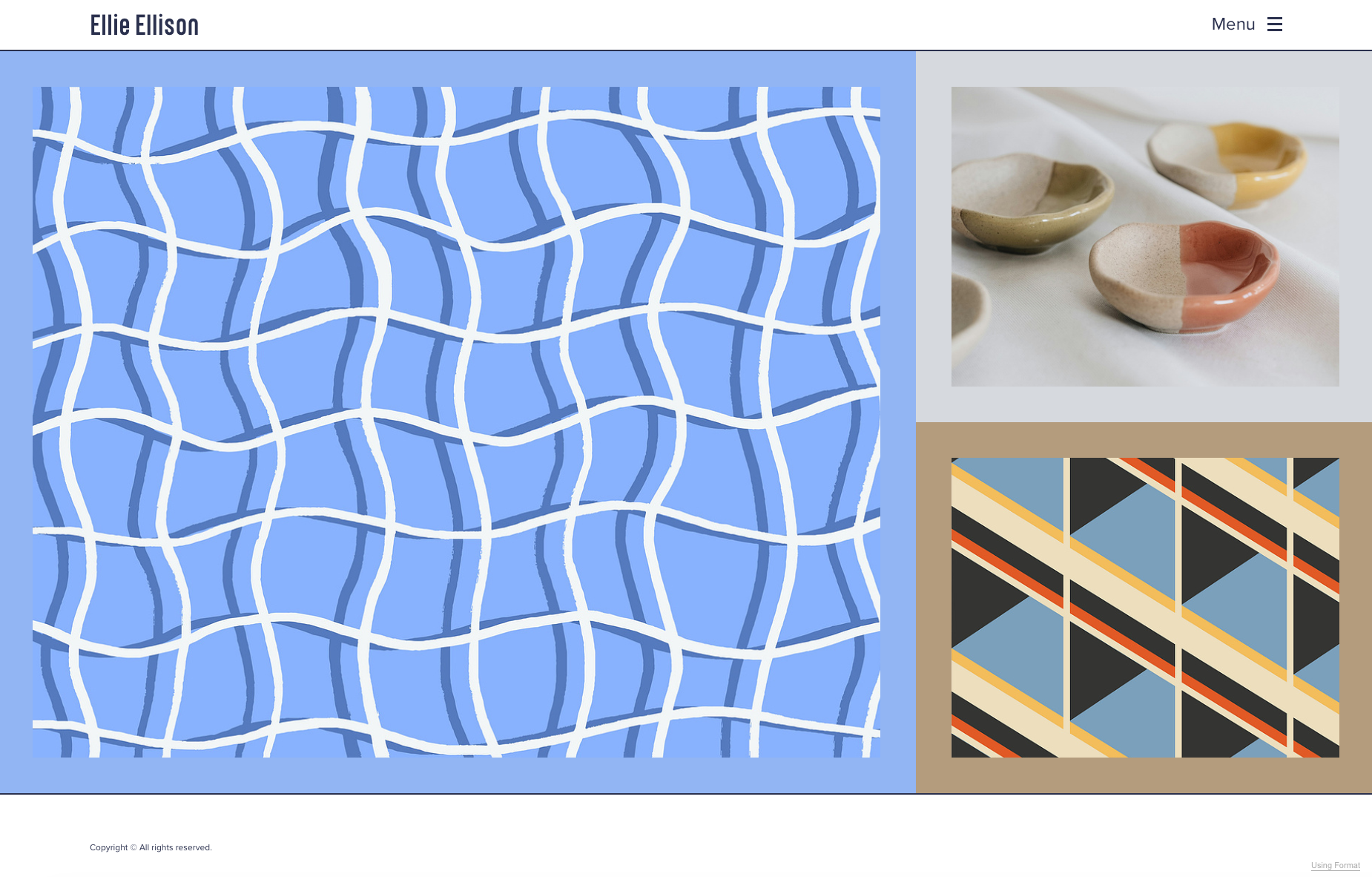
Design for Instant Clarity
The visual design of your portfolio is the first thing people experience, before they see a single project. If the layout feels cluttered, the typography is hard to read, or the load time drags, the impression is already damaged.
Visual Hierarchy That Guides the Eye
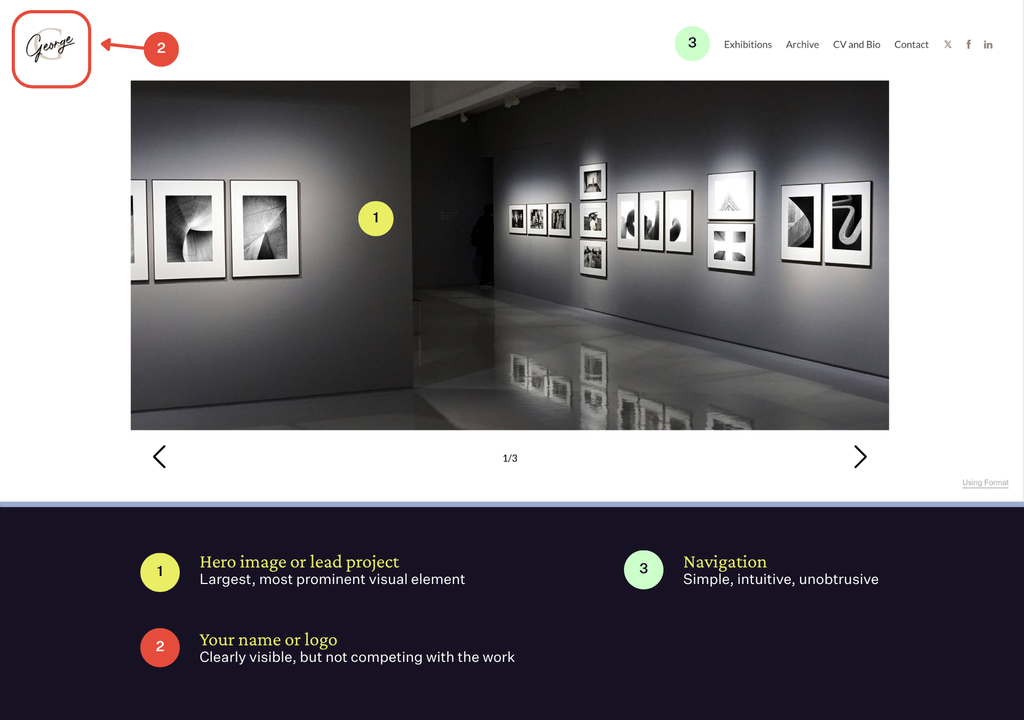
Visual hierarchy is the principle that determines what the eye hits first, second, and third. On a portfolio site, the hierarchy should be:
- Hero image or lead project (largest, most prominent visual element)
- Your name or logo (clearly visible, but not competing with the work)
- Navigation (simple, intuitive, unobtrusive)
Everything else, taglines, social links, bio excerpts, should sit lower in the hierarchy. The goal is to remove anything that competes with your strongest visual for the viewer’s attention in that critical first pass.
Typography, Color, and Whitespace
A few guiding principles:
- Choose one typeface for headings, one for body text. Two is enough. Three is a crowd.
- Limit your color palette. Your portfolio’s brand colors should complement your work, not distract from it. Neutral backgrounds (white, off-white, charcoal, black) tend to let creative work speak loudest.
- Use whitespace intentionally. Empty space around an image is not wasted space. It is breathing room that signals confidence and visual literacy. Crowded layouts suggest uncertainty about what to prioritize.
If you are building your portfolio on a platform like Format, profession-specific themes are designed with these principles already in mind, clean layouts, generous whitespace, and typography that recedes in favor of the visual work. A strong theme does much of the heavy lifting so you can focus on your content.
Build a Visual Identity That Sticks
A memorable portfolio has a point of view. Not just in the work itself, but in how the entire site feels. Color choices, layout rhythm, image treatment, even the tone of your copy all contribute to a cohesive visual identity.
This does not mean every page needs to look identical. It means there should be a recognizable thread connecting your homepage, your project pages, and your about page. When a viewer navigates from one section to another, the experience should feel intentional, like a single exhibition across multiple rooms rather than a series of disconnected walls.
Practical ways to build cohesion:
- Consistent image treatment. If your photography leans warm and filmic, avoid mixing in clinical, flash-lit images unless there is a deliberate reason. If your illustrations use a limited palette, carry that palette into your site’s branding.
- Unified project presentation. Decide on a format for how projects are displayed (full-bleed images, grid, scrolling narrative) and keep it consistent. Random switching between layouts mid-portfolio creates friction.
- A recognizable logo or wordmark. It does not need to be elaborate. A clean wordmark of your name in a considered typeface goes a long way toward making your portfolio feel like a professional brand rather than a casual collection of files.
Tools like Flex Block let you customize layouts with drag-and-drop precision, so your project pages can feel like editorial spreads rather than template defaults. That level of creative control matters when your visual identity is what sets you apart.
Take full creative control of your layouts with Flex Block. Start your free trial →
Write an About Page That Earns the Second Look
If your lead work gets a viewer past the 3-second threshold, the About page is often the very next stop. This is where trust is built or lost.
The most effective About pages for creative professionals do three things:
- State clearly who you are and what you do. One or two sentences. Not a manifesto. “I’m a documentary photographer based in Toronto, focused on long-form editorial and NGO partnerships.” That is enough for the viewer to know whether you are a fit.
- Highlight relevant experience concisely. Notable clients, publications, exhibitions, or awards, presented as proof points, not an exhaustive resume. A short, scannable list outperforms a wall of text every time.
- Include a photo of yourself. It adds a human layer that makes you more approachable, which matters when someone is deciding whether they want to work with you.
Keep the tone friendly, direct, and honest. If you are unsure how to approach your bio, we have a detailed breakdown in our guide to writing your portfolio’s About Me page, including real examples from working creatives.
Make Navigation Effortless
If someone has to think about how to find your work, you have already introduced unnecessary friction. Navigation should be invisible in the best sense: obvious, minimal, and fast.
A few navigation principles that hold true across disciplines:
- Keep top-level categories to a maximum of five or six. Portfolio, About, Contact, and perhaps a Blog or Shop. Anything more starts to feel cluttered.
- Label things plainly. “Work” or “Portfolio” is better than “Explorations” or “The Archive.” Clarity beats cleverness when someone is trying to find your photography.
- Test on mobile. More than half of portfolio visits now come from mobile devices. If your navigation collapses poorly, if images load slowly, or if the tap targets are too small, you are losing viewers before they ever see a second project. Responsive, mobile-first Portfolio-Vorlagen solve most of these issues by default, but always preview your own site on a phone before you publish.
- Make contact information easy to find. An email address or a clear “Contact” link in the navigation is essential. If a potential client cannot figure out how to reach you within a few seconds, they will move on to someone whose portfolio makes it easy.
Keep It Current
A portfolio is not a finished product. It is a living record of your practice, and it should evolve as your work evolves.
Set a recurring reminder to review your portfolio every three to four months. When you do, ask:
- Is my newest, strongest work front and center?
- Are there older projects that no longer reflect my current skill level or direction? If so, remove them.
- Are all links, contact information, and project details accurate and up to date?
- Have I added recent client work, publications, or personal projects that deserve a place?
Portfolios that feel frozen in time raise questions about whether the person behind them is still actively working. A regularly updated site signals momentum and ongoing creative growth, both of which build confidence in potential clients and collaborators.
For more foundational tips on structuring and designing your portfolio site, our guide to online portfolio website design covers the broader essentials.
The 3-Second Portfolio Checklist
Before you publish or update your portfolio, run through this quick self-audit:
| Element | Ask Yourself |
|---|---|
| Hero image/project | Is my absolute strongest work the first thing visitors see? |
| Visual clarity | Does the page feel clean, uncluttered, and easy to scan? |
| Load speed | Does the site load quickly on both desktop and mobile? |
| Cohesion | Does the overall design feel intentional and visually consistent? |
| Navigation | Can someone find my work, my About page, and my contact info within seconds? |
| Über die Seite | Does my bio clearly communicate who I am, what I do, and why I am credible? |
| Freshness | Is the portfolio up to date with my current work and direction? |
| Mobil | Have I tested the entire experience on a phone? |
If you can check every box, your portfolio is already ahead of most.
Häufig gestellte Fragen
How many projects should I include in my portfolio?
There is no universal number, but most creative professionals find that 8 to 20 projects is the right range. The principle is simple: if a project does not represent your best current abilities and the type of work you want to attract, it does not belong. Quality and curation always outweigh quantity.
Should I organize my portfolio by project type or chronologically?
By project type (or thematic grouping) almost always works better. Chronological order means your strongest work might be buried three scrolls down. Group your projects by category, genre, or client type, and place the strongest category first. Within each group, lead with the best project.
How often should I update my portfolio?
Aim for a review every three to four months. Add strong new work, remove anything that no longer represents your direction, and check that all links, bios, and contact details are current. A portfolio that looks maintained signals that you are active, engaged, and serious about your practice.
Build a portfolio that stops the scroll. Start your free Format trial.